- What is the recurrence penalty
- How to configure the penalty
- Understand the calculation
- Frequently Asked Questions (FAQ)
What is the recurrence penalty
The recurrence penalty is a feature that reduces the final score of a checklist when an issue repeats. If you apply a checklist and evaluate an item negatively (such as selecting the "red sad face"), and in the next application at the same unit you evaluate that item negatively again, the system identifies the recurrence.
The recurrence is only counted if the checklist is applied again at the same unit.
How to configure the penalty
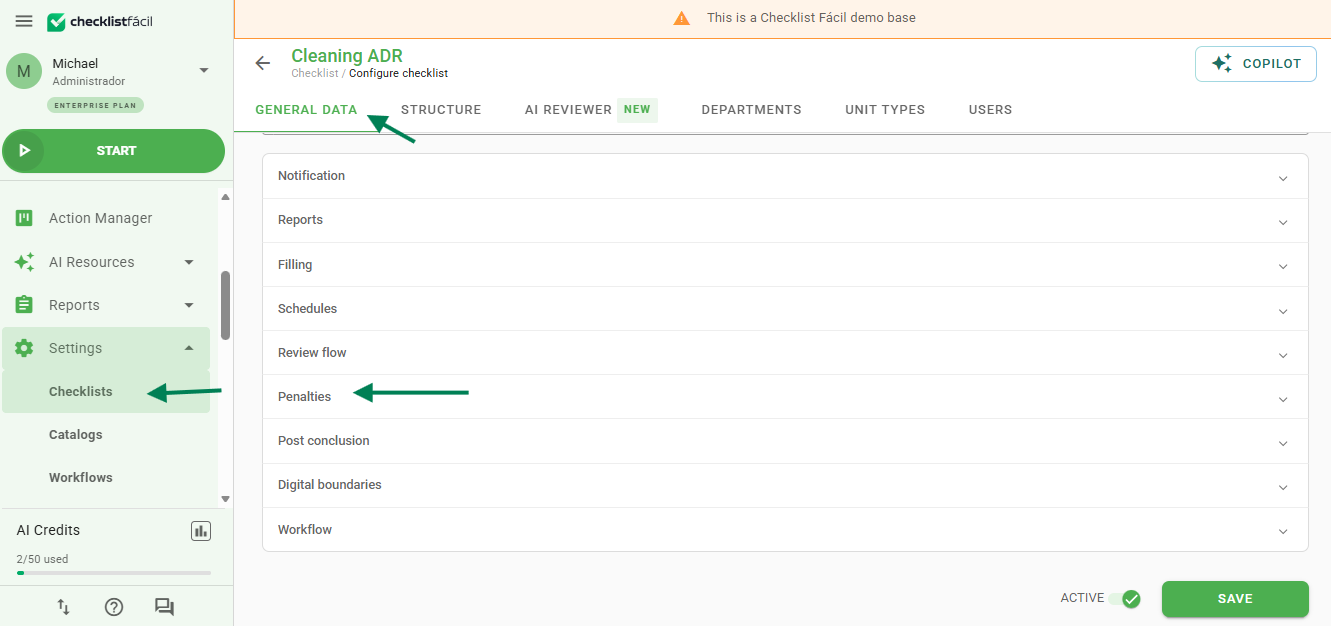
To activate this function, access the editing screen of the desired checklist. Navigate to the Registration Data tab and locate the Penalties option.
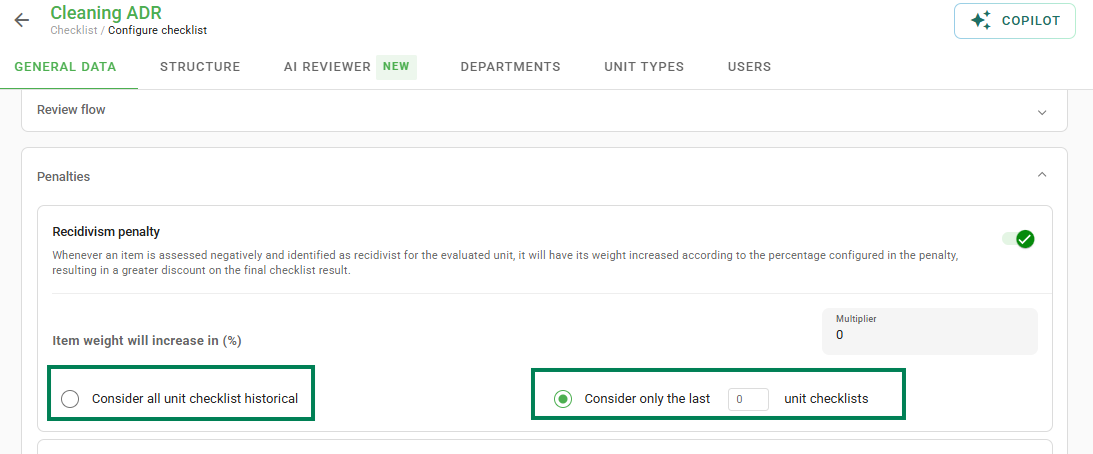
Next, you must define how the system will identify this repetition. You can choose to analyze the full application history or consider only a specific number of previous checklists.
Understand the calculation
In the Multiplier field, you enter the penalty percentage. For example: if the multiplier is 100 and you have an item with weight 10, when responding with a negative evaluation for the second time, the score obtained for this item will be 0.
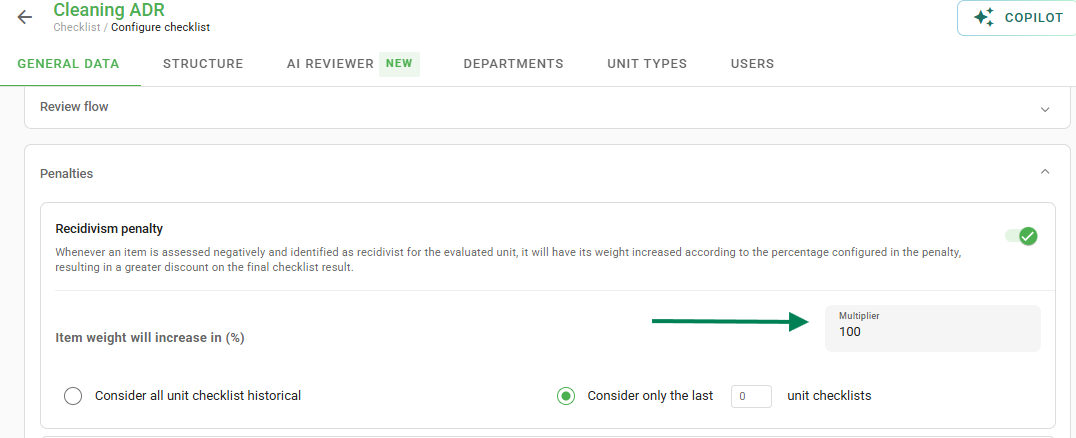
Basically, when applying a penalty, the weight of the negative impact for that item increases within the questionnaire, resulting in a lower final score.
Frequently Asked Questions (FAQ)
1. Does the penalty work between different units?
No. Recurrence is calculated only when the same checklist is applied again at the same unit.
2. What happens if I evaluate it positively next time?
If the item receives a positive evaluation (compliant), the recurrence cycle is broken and the penalty will not be applied.
❓Tem dúvidas? Entre em contato com nosso time de suporte.