The Checklist Import with AI feature allows you to create checklists automatically from files. It streamlines the creation of checklist structures based on existing documents, reducing manual rework and optimizing setup time.
With this option, you can import spreadsheets, PDFs, or images and let the Artificial Intelligence analyze the content and automatically generate the checklist structure within your database.
How to create a checklist via file
Within the database, by clicking on Create Checklist with AI (available on the system home screen and on the checklist configuration screen), you can choose between creating a structure from scratch or using the import option, where the AI will analyze the uploaded file and transform the content into a structured checklist.
It is also possible to perform the import by clicking on the three dots in the upper right corner of the checklist configuration screen.
The accepted files are: XLSX, CSV, PDF, PNG, JPG, and WEBP. The current limit is 3 MB per file.
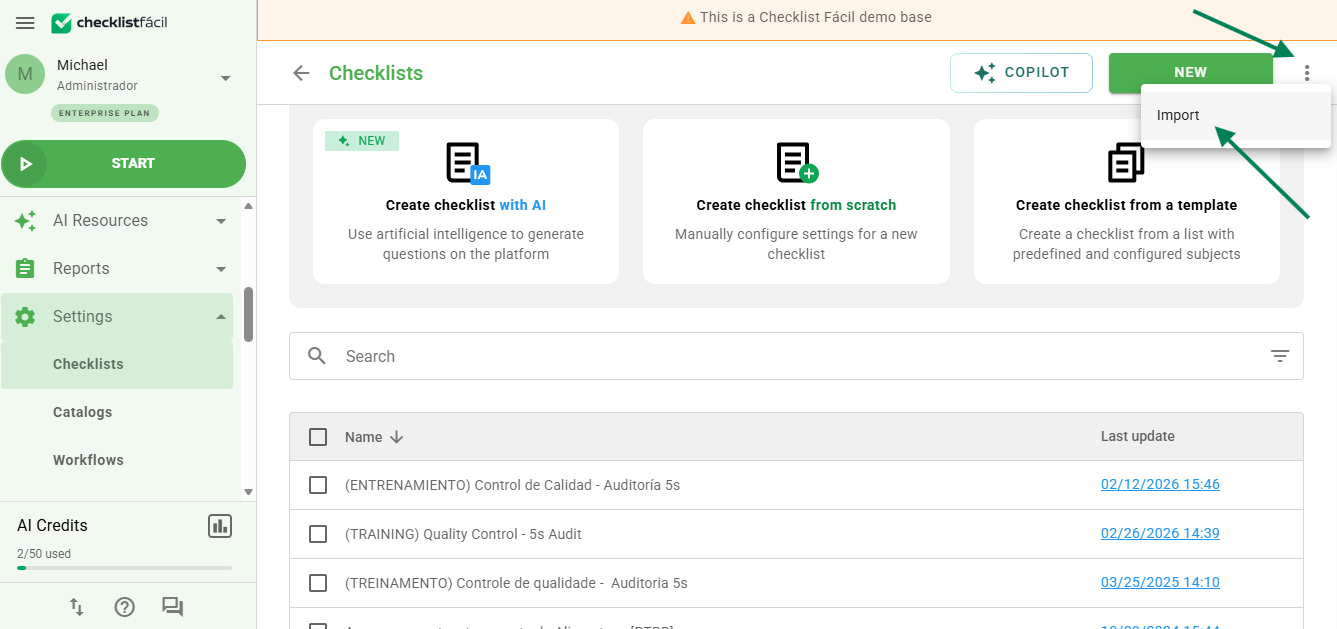
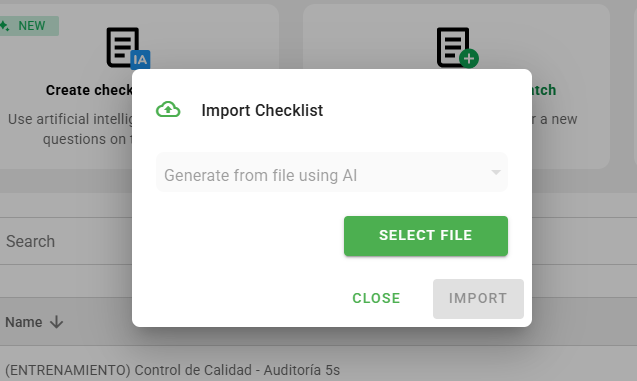
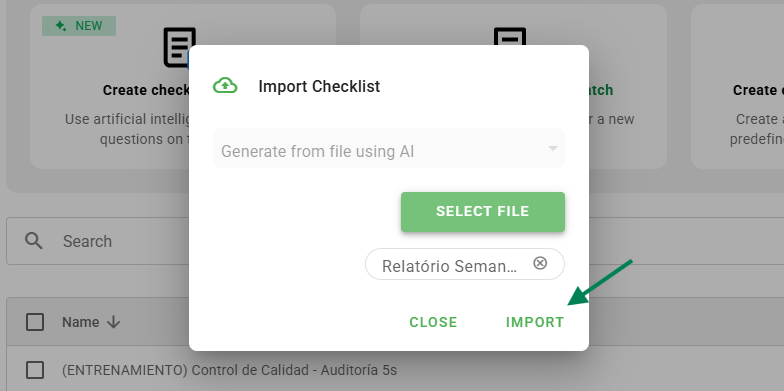
After submitting the file, please wait a few minutes until the system informs you that the import has been concluded. If there is any error, it will also be reported so that you can submit a new file.
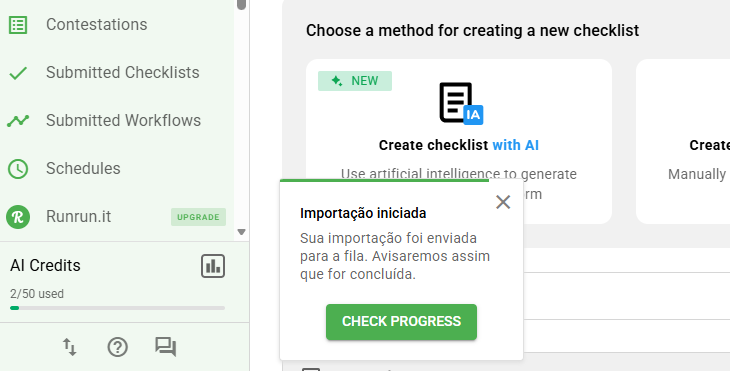
Import queue
When submitting a file for analysis, it enters the import queue. You can follow the status and directly access the structure of the imported checklist through the button displayed in the queue itself.
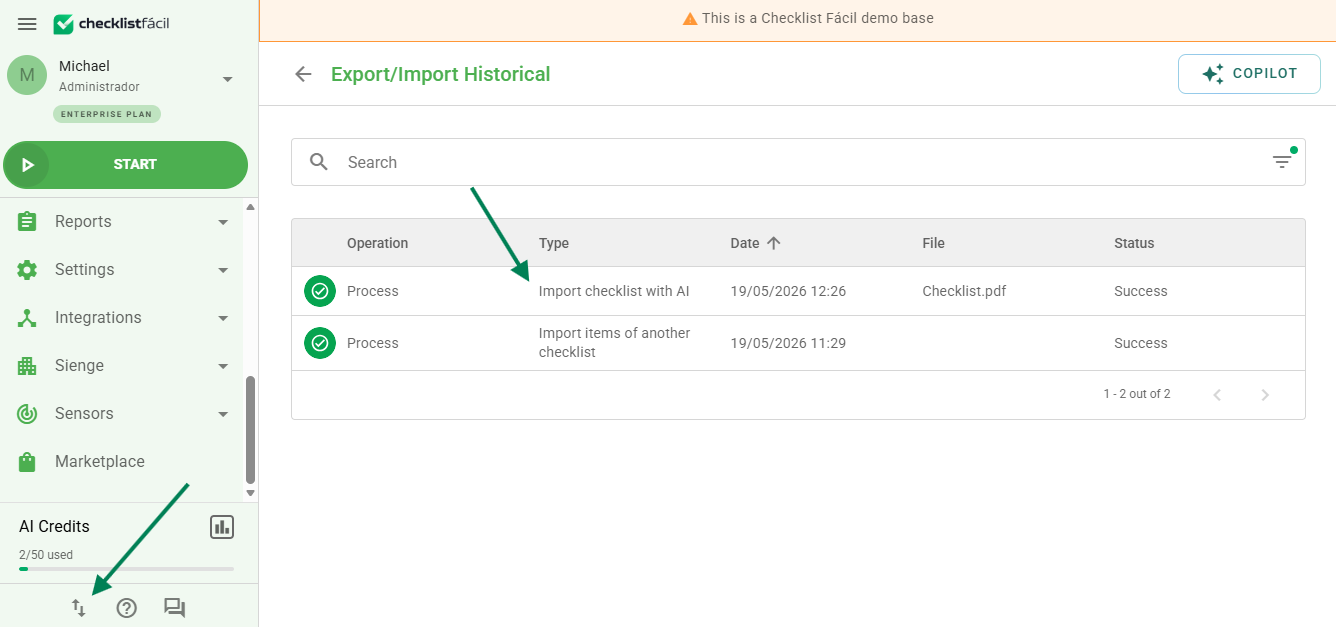
Attention: if an error occurs during import, it will be necessary to submit a different file or one with higher quality so that the AI can interpret it correctly.
Frequently Asked Questions (FAQ)
1. Who can use the checklist import with AI?
All plans are included during the BETA release, but access is made available gradually.
2. Which files can I import?
XLSX, CSV, PDF, PNG, JPG, and WEBP, with a maximum limit of 3 MB per file.
3. Does the AI create the checklist automatically?
Yes. The tool analyzes the content and generates a baseline structure for review and editing before saving.
4. Is the feature available for the entire database?
Not yet. It is being released gradually. You can request activation from your account manager (CS) or the technical support team.
5. Can the checklist generated by the AI be incorrect?
Yes. That is why the Beta notice exists, reinforcing the importance of reviewing before applying.
❓Tem dúvidas? Entre em contato com nosso time de suporte.